LANDSCAPING WEBSITE DESIGN STUDY / 01
Fieldwork.
A place to imagine.
Original concept · fictional business
A landscaping website should help someone picture their own outdoor space. Fieldwork explores that idea through a landscape gallery and a short, interactive garden brief.
Designed and built by Simplify Labs in Austin. This is a working frontend demonstration, not a client project or a claim of business results.
Try the Fieldwork website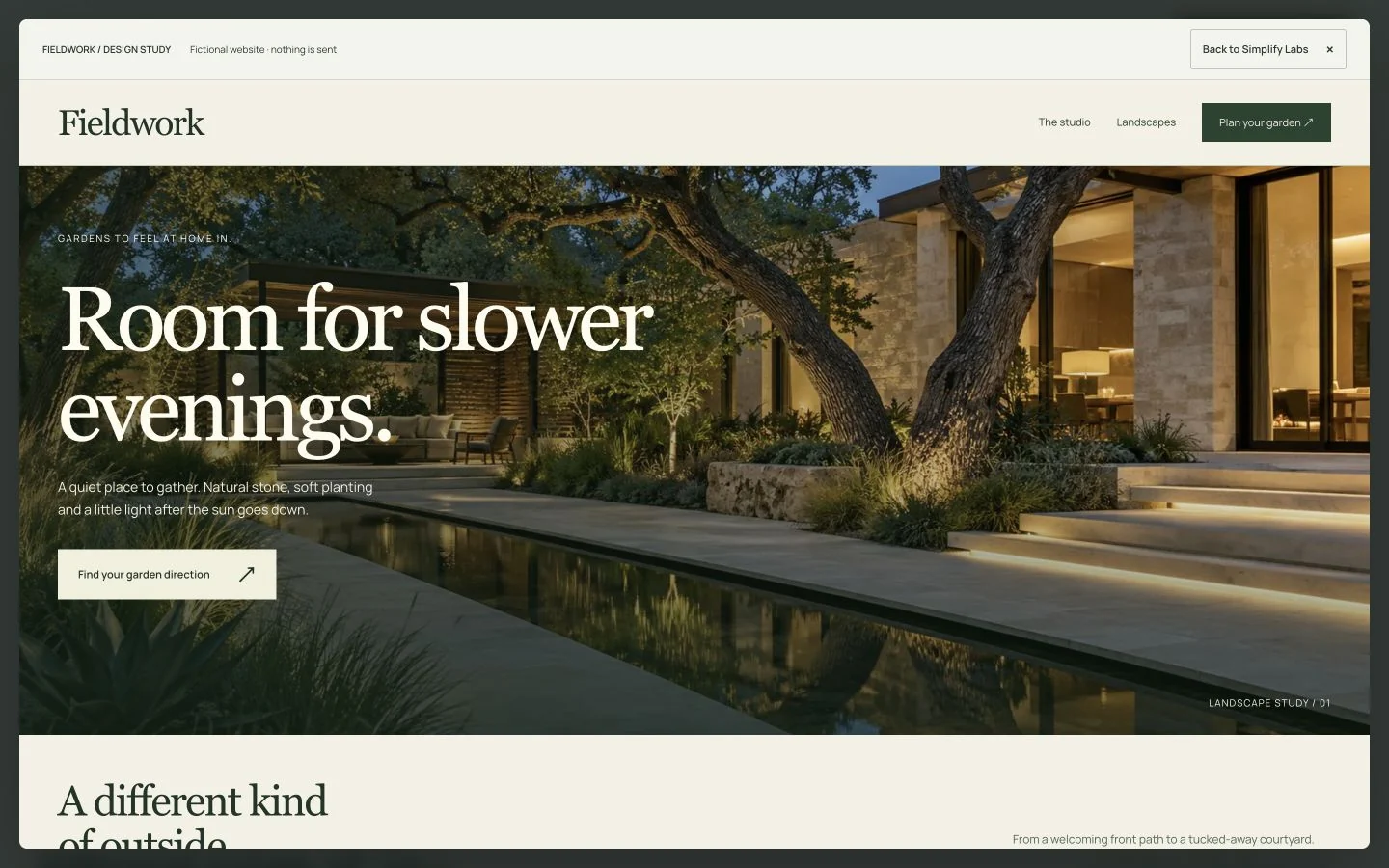
- THE IDEA
- Help visitors explore a garden direction.
- THE BUILD
- Responsive HTML, CSS and JavaScript.
- THE DEMONSTRATION
- Gallery, three-step planner and sample brief.
01 / SHOW THE POSSIBILITIES
A gallery with somewhere to go.
The three scenes give visitors different starting points: an evening courtyard, a planted path and a welcoming entrance. Selecting a scene changes the image, heading and description together, keeping the story connected to the view.
The design uses large imagery with restrained navigation. The next action is specific—explore a garden direction—rather than leaving a photograph as the end of the journey. On a real landscaping website, these scenes would use the business’s authorized project photographs and accurate service descriptions.
Explore the three scenes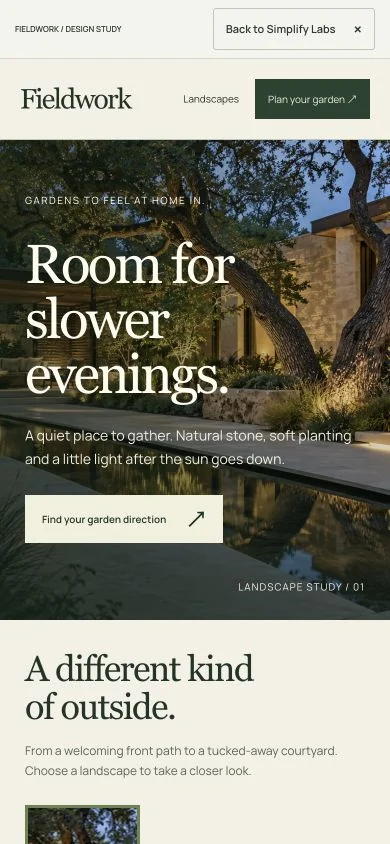
02 / MAKE THE FIRST STEP EASY
Three choices.
A clearer starting point.
The planner asks about the atmosphere, space and priority. Visitors choose one answer at each step without needing landscaping vocabulary. The illustration responds to atmosphere and space; the final sample brief reflects all three choices.
Going back retains earlier selections. Starting again clears them. This makes the interaction useful to explore, rather than a sequence that only works once.
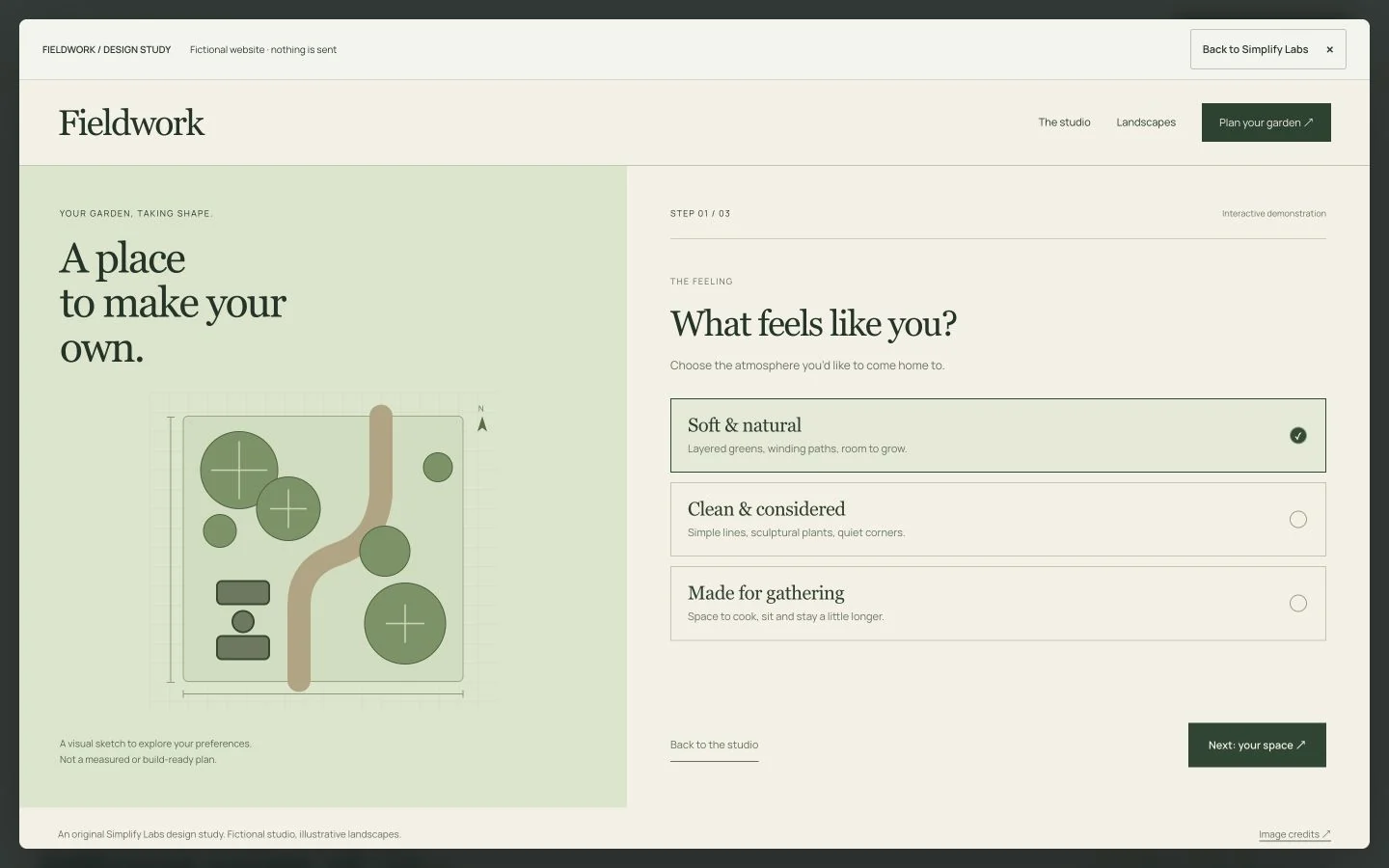
The drawing is an illustration, not a measured landscape plan. The demo collects no personal details, books no appointment and sends nothing to a business. A production inquiry system would be separately designed, connected and tested.
03 / CONSIDER THE WHOLE EXPERIENCE
Details beyond the screenshot.
A design needs to work when someone changes their mind, uses a keyboard or opens it on a smaller screen. These behaviors are part of this demonstration.
Desktop and mobile
The layout reorganizes at smaller widths so the choices and illustration remain usable. The current selection stays visible while a newly chosen landscape image loads.
Keyboard navigation
Real buttons expose their selected state. Moving through the planner focuses the next heading. Closing the example returns focus to the button that opened it.
Considered motion
Planner navigation respects the device’s reduced-motion preference. Hidden landscape images load when needed, keeping them out of the initial page load.
FROM CONCEPT TO A REAL WEBSITE
What changes for your business?
A finished site needs more than a visual direction. We confirm the services, service area, authorized photos, useful existing pages, platform and editing needs before agreeing the build.
Any inquiry planner needs an agreed destination for submissions, appropriate privacy wording, clear confirmation and a coordinated delivery test. Booking tools, saved briefs and customer accounts are separate requirements; this example does not demonstrate those connections.
A standard one-page website starts at $495, with no deposit and payment after finished-site approval, before launch. An interactive planner, platform work, extra pages and integrations are quoted individually. See the website scope and pricing.
A DIRECTION FOR YOUR BUSINESS
See what yours could become.
Share your website and one thing you want to improve. Start with a small, free homepage concept or two key sections. Review it by email, phone or an optional Google Meet, with no obligation to continue.